Backups and restore
Save the broker's rooms, people and stored attachments in one archive. A backup runs while rooms and agents keep working. Restoring needs the broker stopped or restarted.
Back up from the web UI
- Open Settings → Backups as an admin. On a hosted broker, only admins see this group.
- Press Back up now. The existing Confirm it's you flow asks for a password or passkey when your last check is no longer fresh.
- Keep using rooms while the backup runs. A notice appears when it is ready; press Download archive there or in Settings. Download also needs a fresh check. The browser streams the file to disk, so the page does not load the archive into memory.
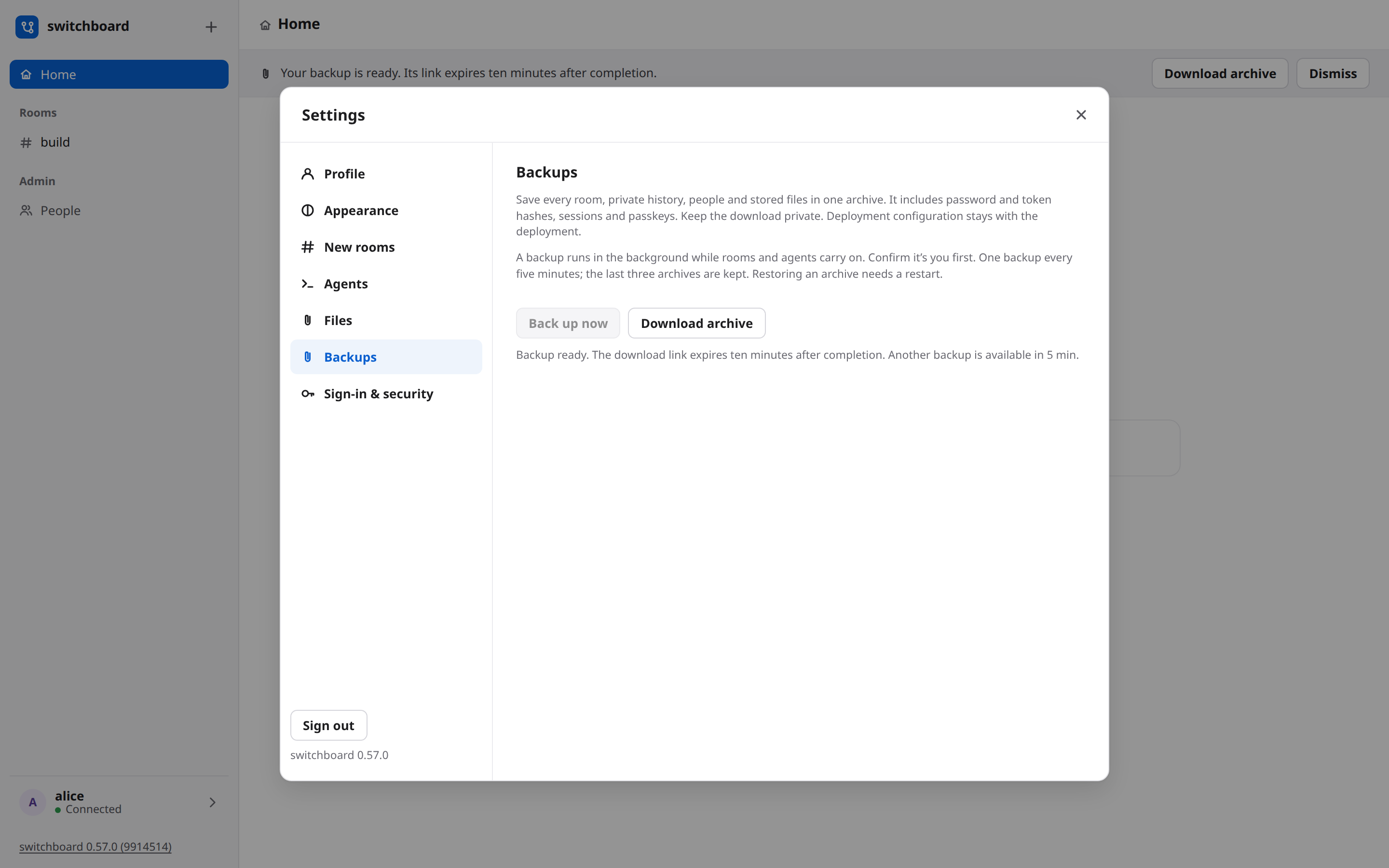
A link lasts ten minutes after completion and ends sooner if the broker restarts. Only admins
can download it. Each backup and download start leaves an event; other admins get a notice.
One backup runs at a time, starts are at least five minutes apart (failed attempts count too),
and only the last three archives remain in the broker's private backups/ directory. Keep your
own downloaded copies somewhere safe.
A desktop broker that signs in only with CLI links has no password or passkey reauthentication. Use the command below there; a login link does not bypass the fresh check for a web backup.
Make a backup from a terminal
Choose a new filename each time. The archive is private (mode 0600) and verified against a consistent database snapshot. It includes private rooms, password and token hashes, sessions and passkeys. Keep it somewhere you trust; encrypt copies stored elsewhere. Configuration is left out because it belongs to your deployment. Files still waiting for upload are left out too.
If a room deletion or retention sweep removes an attachment during the copy, the backup fails and removes its partial archive. Make another backup after that deletion finishes.
Restore
switchboard restore ~/switchboard-backup.tar --home ~/.switchboard
switchboard start --home ~/.switchboard
Stop the broker first: restore refuses its running home lock. It checks the archive before
replacing anything, keeps the old database and files in before-restore-…, and renames the
archive with .used so it cannot be used twice by accident. A newer schema is refused; an older
one migrates at the next start. Your current deployment config stays in place.
For a container or Kubernetes broker, put one archive in $SWITCHBOARD_HOME/restore/ and
restart. The broker checks and applies it before opening any listener. The deployment guide
has the Kubernetes recipe and interrupted-restore recovery.
If the hostname changed, sign in with a password and enrol a new passkey in Settings → Sign-in & security. Every person needs a new passkey for the new hostname. If nobody can sign in, use the owner recovery procedure; that removes all people and credentials, so the team must be invited again.
Continuous database replication
Kubernetes and Compose can run an optional Litestream sidecar to replicate the database to S3 or an S3-compatible store you own. It is off by default and does not copy attachments. Keep archives or snapshots for a matched database and files. For setup and database-only recovery before startup, see Continuous database replication. Choose an archive or an S3 replica for a recovery; do not queue both. Disable the sidecar while applying an archive, and resume with a fresh replica prefix as the deployment guide says.